Server time: --:--:--


Download
RGN Launcher and alternate client downloads
-
RGN LauncherDOWNLOAD RGN LAUNCHER
Install and launch Jade Dynasty Reborn.
- 1. Download and run RGN-Launcher-Setup.exe.
- 2. Open RGN Launcher and select the Jade Dynasty server you want to play.
- 3. Follow the launcher's instructions to install the game and start playing.
Alternate client downloads
Download a full client archive for manual installation.
-
Classic — EnglishDOWNLOAD CLIENT
Sunstrider · Direct download · ~4.8 GB
- 1. Unpack .zip/rar using WinRar or 7zip.
- 2. Create shortcut to the /launcher/Launcher.exe and move it to the Desktop.
- 3. Open the game using the shortcut. Keep using launcher, not patcher to run the game!
System requirements
| Operating System | Windows® XP, Windows 2000, Windows Vista, Windows 7 or Windows 10. |
| CPU | Intel® Pentium® 4 at 2.5GHz, Mid to High Range Dual-Core 3.2GHz CPU |
| RAM Memory | 2GB of RAM (4GB or more recommended) |
| Hard Disk | 10GB Free HD Space |
| Graphic Display | 3D video chipset with pixel and vertex shader model 1.3 supported. GeForce 9500 GT 256MB or ATI Radeon HD 3850 256MB. (NVIDIA GeForce 8800 GTX / ATI Radeon HD 4850 recommended) |
| Sound Drivers | DirectX 9.0c compatible sound card |
Troubleshooting
| Issue | Resolution |
|---|---|
DirectX issue 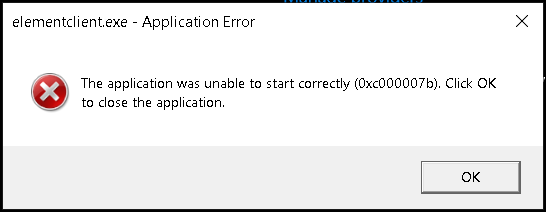 |
Issue presented on screnshot on the left (click to see full size), occurs if required DirectX vresion is missing. Known ways to fix it:
|
Broken font issue 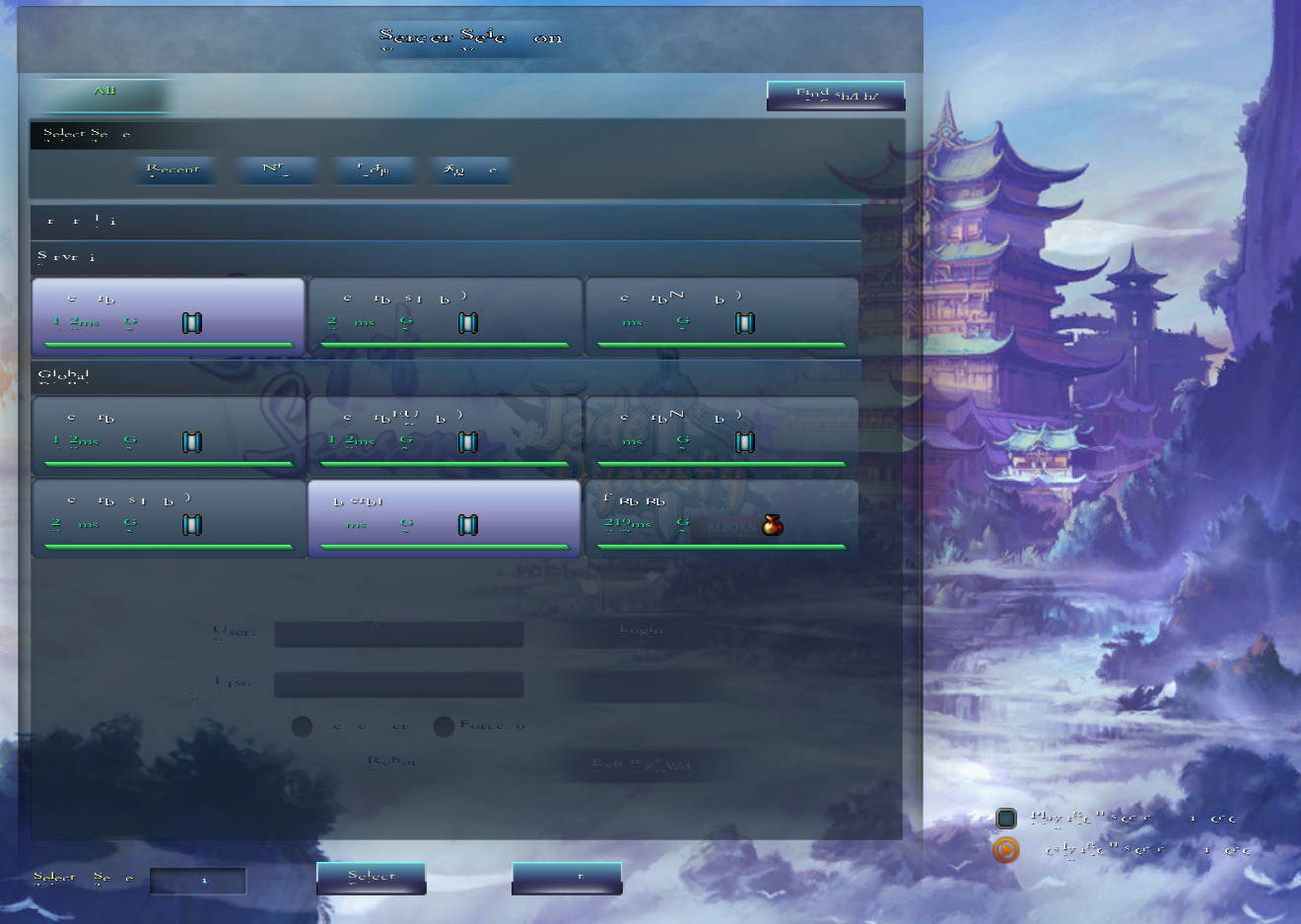 |
Issue presented on screnshot on the left (click to see full size), mostly occur on new computers with Windows 11 installed. Known ways to fix it:
|